Log activity & daily notes
Choose Log activity on an entity to record a viewing session, a game milestone, or a thought you want to remember. The date defaults to today; change it to record something you did earlier. Add an optional note, check the summary, then choose Log to save it. Expand Journal preview to see the Markdown line and destination.
For example, logging a rewatch might add:
- [[Steins;Gate 0 (Anime)]] — finished my rewatch #Anime
That link connects the day to the entity. You can find it later in the entity's history and the activity feed.
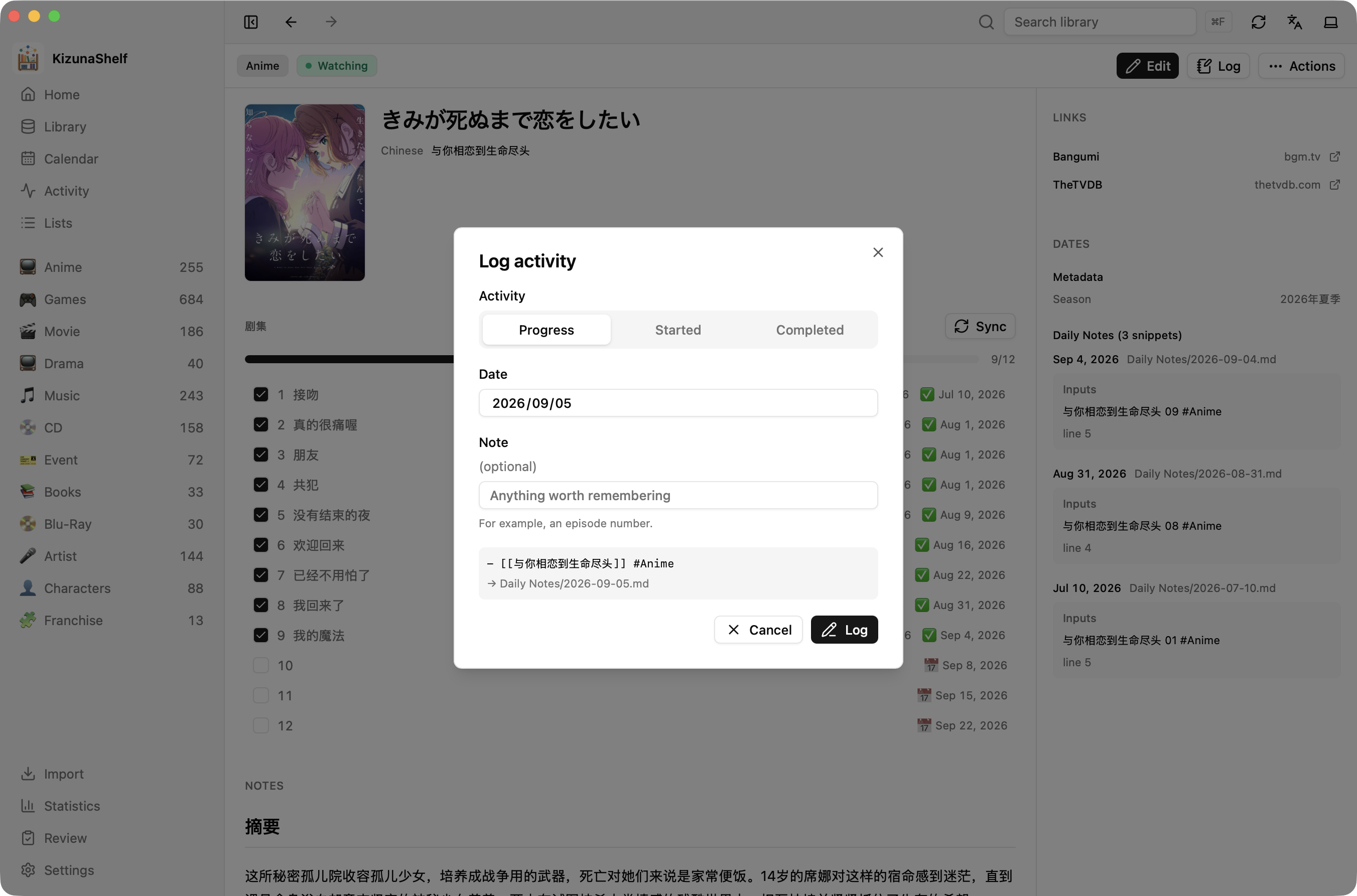
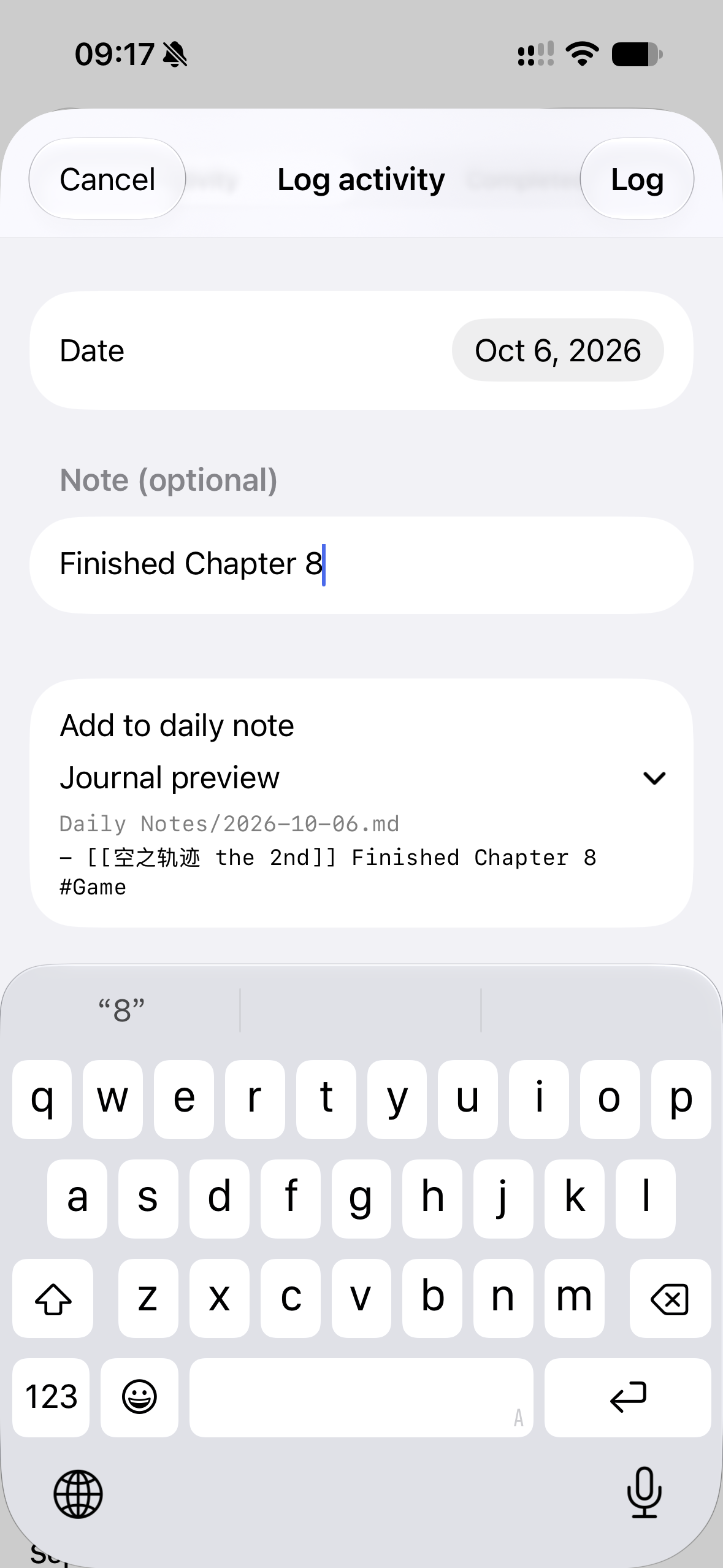
Status changes
Choose Start or Finish from the activity actions to open the same sheet with Started or Completed selected. These actions are available when they can update a configured date or advance the entity's status, even when daily-note logging is not enabled. The summary shows exactly which fields will change; the note field appears only when a journal entry will be written.
Starting something resumes a paused entity, but does not move a completed entity back to in progress. Dropped and unrecognized custom statuses are preserved.
Activity records a journal entry; it does not increment a progress counter. Use episode checklists for episodes or chapters, and an ordinary number field for a value such as pages read. A log does not tick episodes, and ticking an episode does not add a daily-note line.
Configuring daily notes
In the schema settings, choose your daily-notes folder and date format. You can also choose a template for new notes, a heading for log lines, and the wording of each type's log.
If you already use daily notes in Obsidian, use the same folder and date format in both apps. Mentions you write by hand count as activity too.
For the available settings and template tokens, see the daily-note reference. On iOS, logging is also available through Siri and Shortcuts.