Lists & smart lists
Use a regular list when you want to choose and order entities yourself. Use a smart list when you want filters to choose them for you.
Lists
A list can hold your favorite Pokémon games, a rewatch order, or albums you want to share with a friend. Add entities, drag them into order, and write notes alongside them.
Smart lists
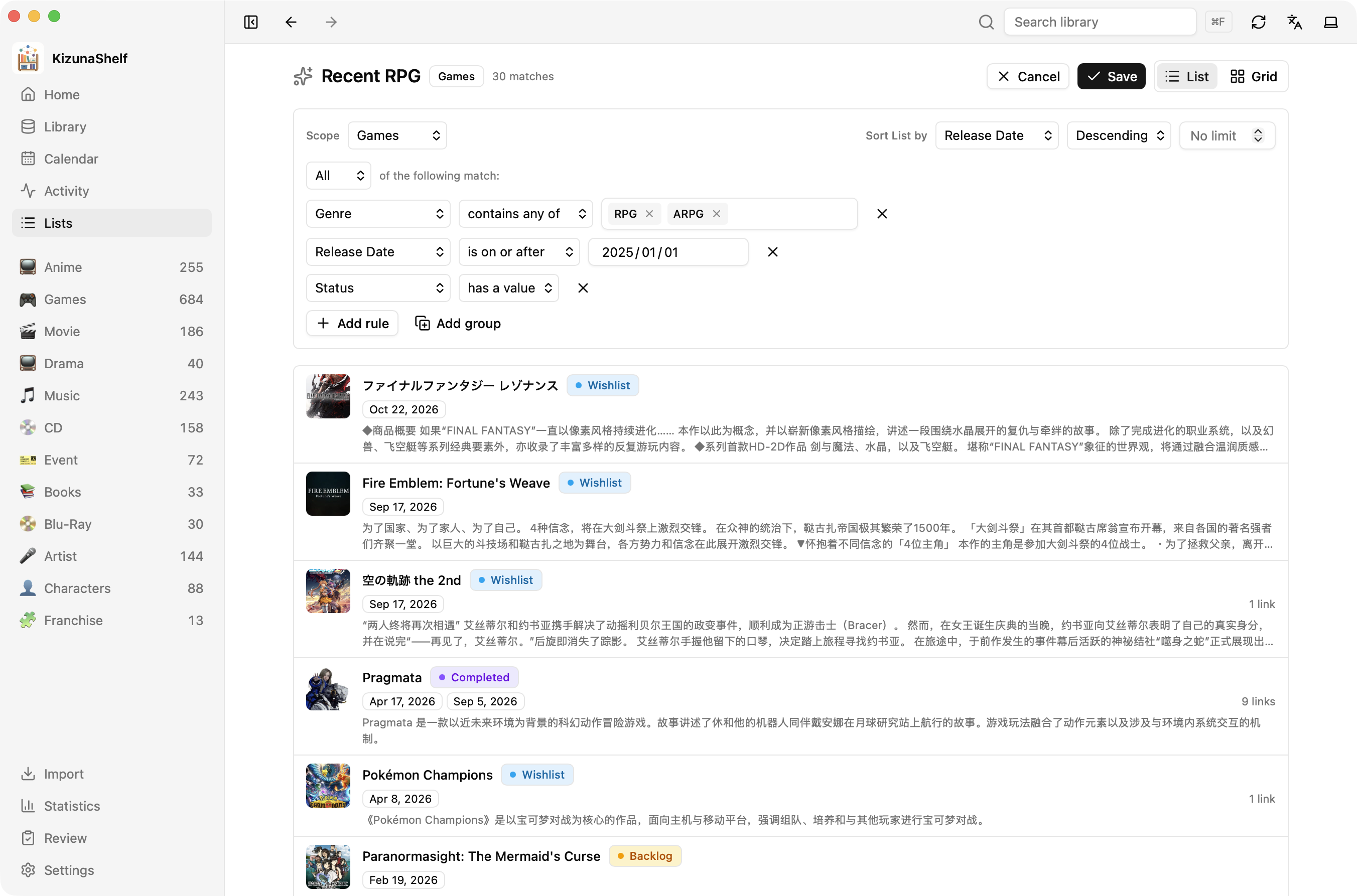
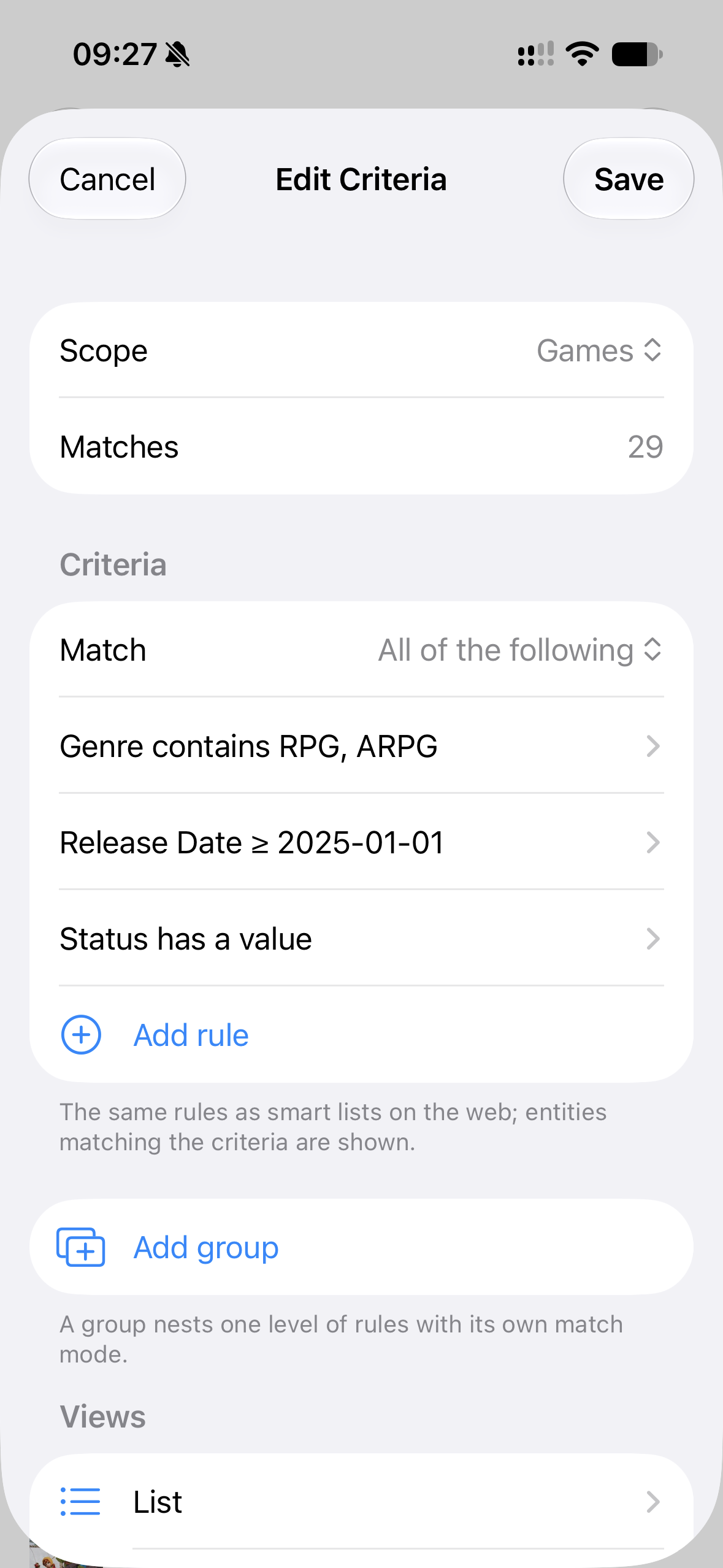
A smart list updates whenever your library changes. A Watching Anime list, for example, drops an entity when you mark it completed.
Create one in Lists, or choose Save as smart list while browsing. Use Edit criteria to change its filters. Views let you keep different layouts and sorts in the same list.
Seasons
Season rules work the same way as library filters. A saved rule for Spring 2018 matches both English and Japanese ways of writing that season.
Show a list on Home
Open a smart list and choose Add to Home. See Home & smart lists for suggested lists and how Home previews your views.
The Obsidian bridge
Lists live under KizunaShelf/Lists/ in your vault. Regular lists are Markdown files with wikilinks. Smart lists use Obsidian's .base format, so you can open supported views in Obsidian too.
KizunaShelf supports a subset of Bases features and preserves settings it cannot edit. Season matching can differ: Obsidian compares the written text, while KizunaShelf recognizes the season it names. Keep season spellings consistent if you use the list in both apps.